Providing visibility into complex employee data integrations
Employers use the Aloha HR System as their primary source for employee information, while PlanSource maintains a separate system for benefits administration. Keeping employee records synchronized between the two platforms requires a reliable, bi-directional API integration.
However, administrators need visibility into how employee updates are transmitted, whether changes are successfully processed, and when errors prevent information from reaching the employer's HR system.
Without clear transaction reporting, identifying unsuccessful updates and understanding integration issues can become difficult and time-consuming.
Making integration activity easier to monitor and manage
The goal was to create an intuitive transaction management experience that gives administrators a clear view of employee data being exchanged between PlanSource and Aloha.
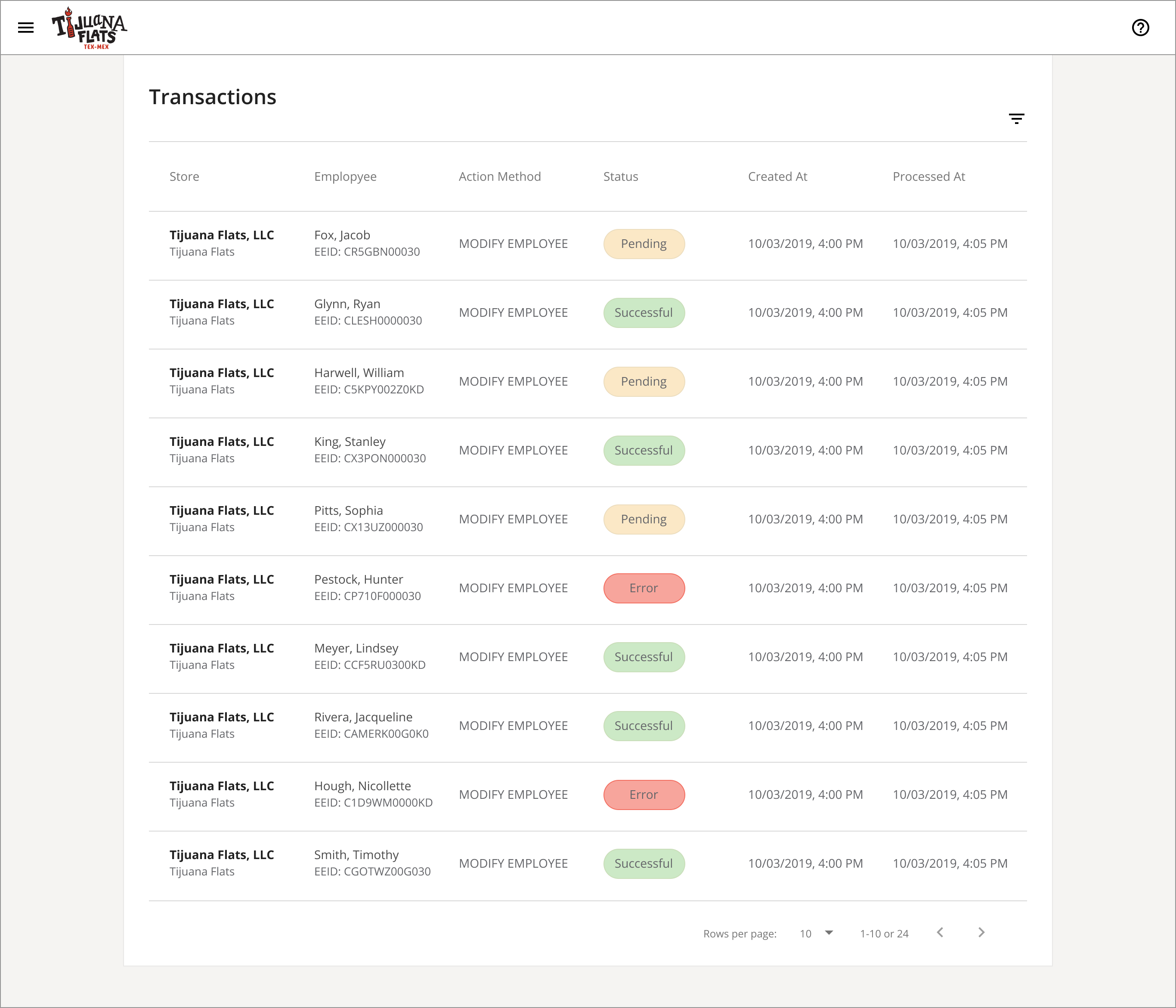
I focused on presenting integration activity in a structured, easy-to-understand interface, allowing users to distinguish between successful, pending, and failed transactions.
Key considerations included:
- Transaction visibility: Clearly communicate the status of employee updates moving between systems.
- Change tracking: Display previous and updated employee information, such as pay rate changes, to verify transmitted data.
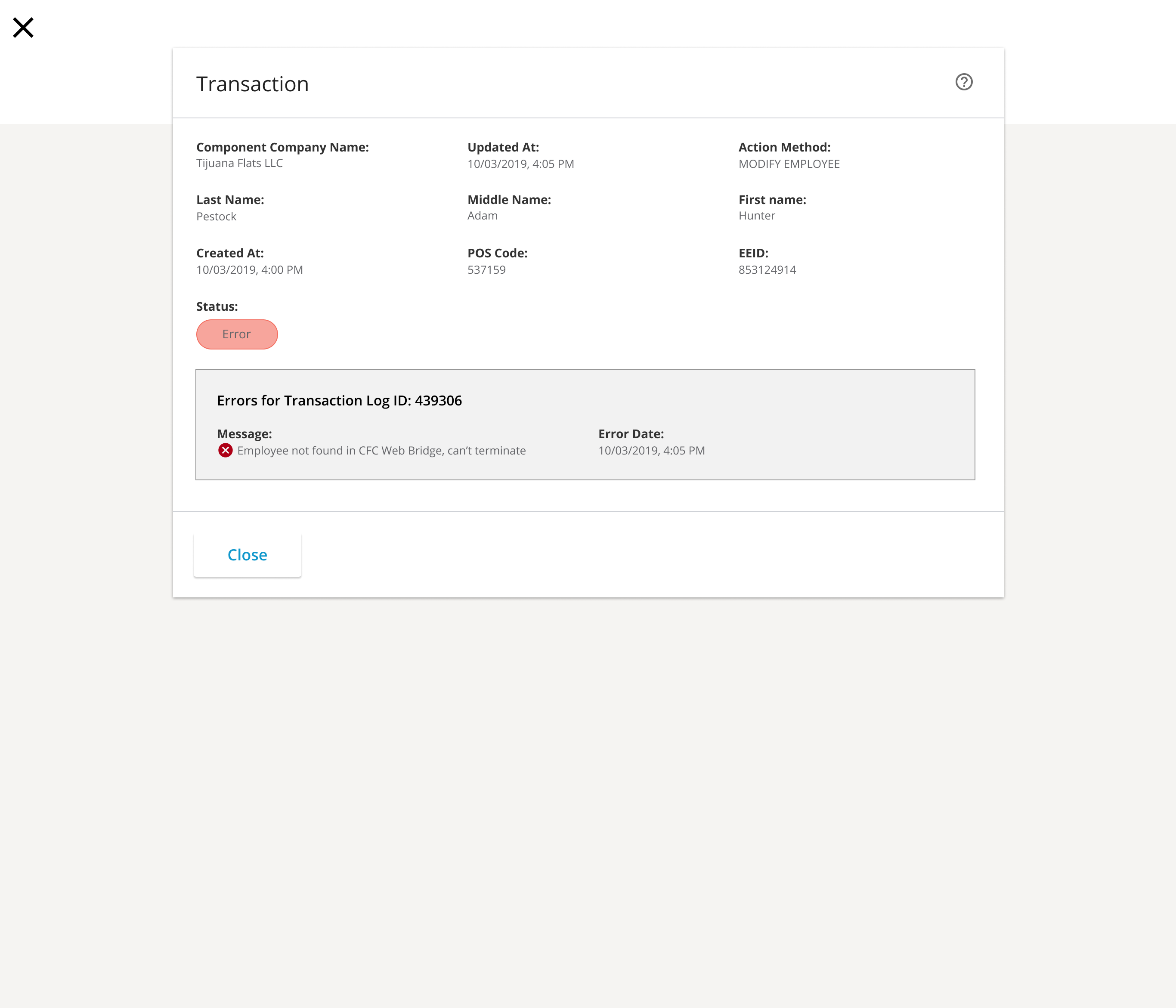
- Error identification: Surface meaningful error details when employee records cannot be updated in Aloha.
- Administrative controls: Provide supporting functionality, including password reset capabilities, to help administrators manage access.
A centralized interface for monitoring employee integrations
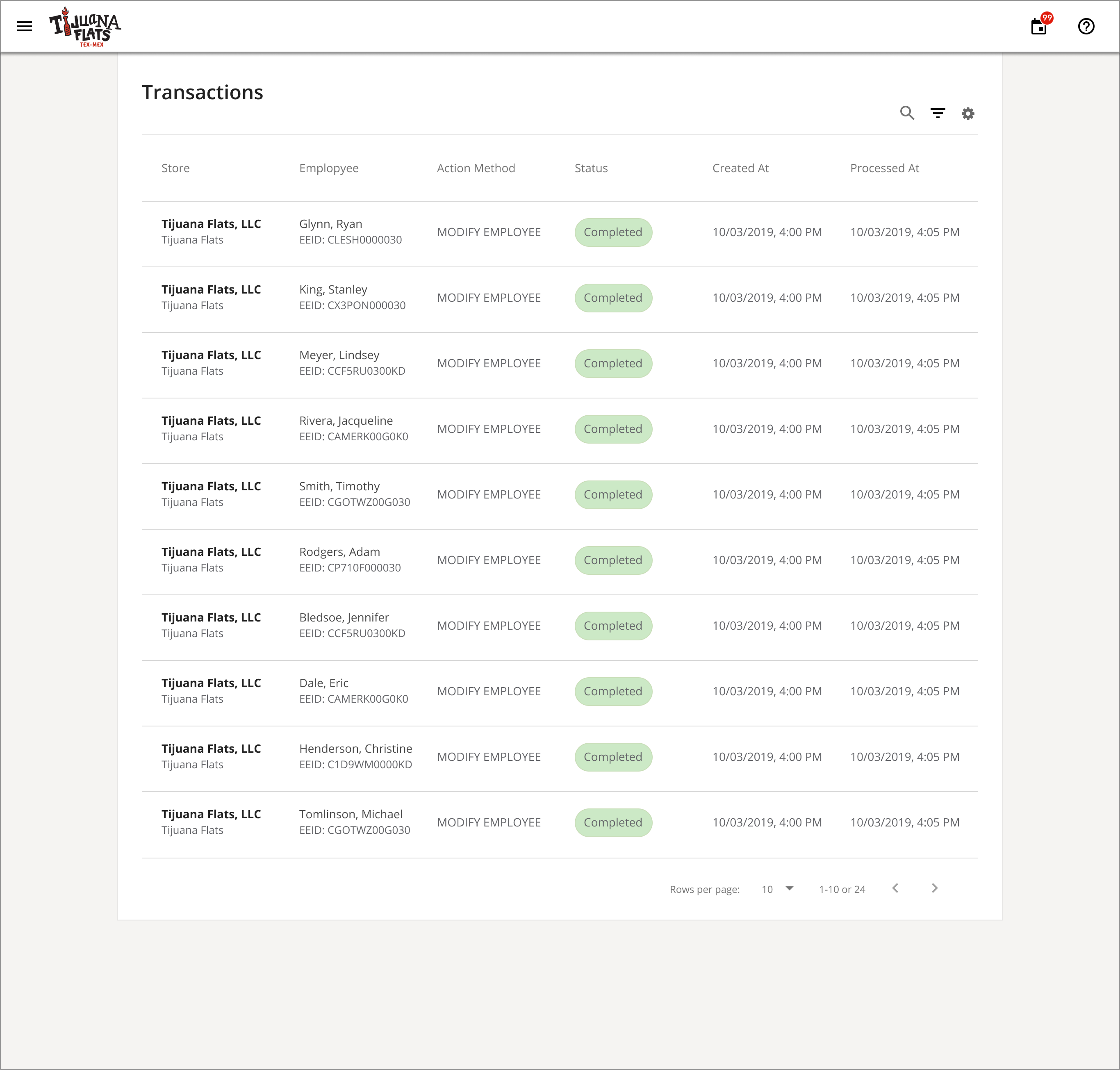
The resulting interface provides administrators with a transaction management experience for monitoring employee updates exchanged between PlanSource and Aloha.
Transaction records communicate the outcome of each integration, making it easier to verify successful changes, monitor pending activity, and investigate errors.
Key capabilities included:
- Successful transactions: Display old and new employee pay rates, confirming that updated compensation information was successfully transmitted to the employee's record in Aloha.
- Pending transactions: Identify employee updates that have been submitted but have not yet completed processing.
- Error reporting: Highlight unsuccessful transactions with contextual error messages, such as an employee termination that could not be completed because the employee record was not found in Aloha.
- Password reset: Provide an administrative option for resetting integration-related account credentials.
Together, these capabilities give administrators greater transparency into cross-platform employee data synchronization, helping them identify issues and verify that employee information is being accurately maintained across both systems.
Greater transparency into cross-platform employee data
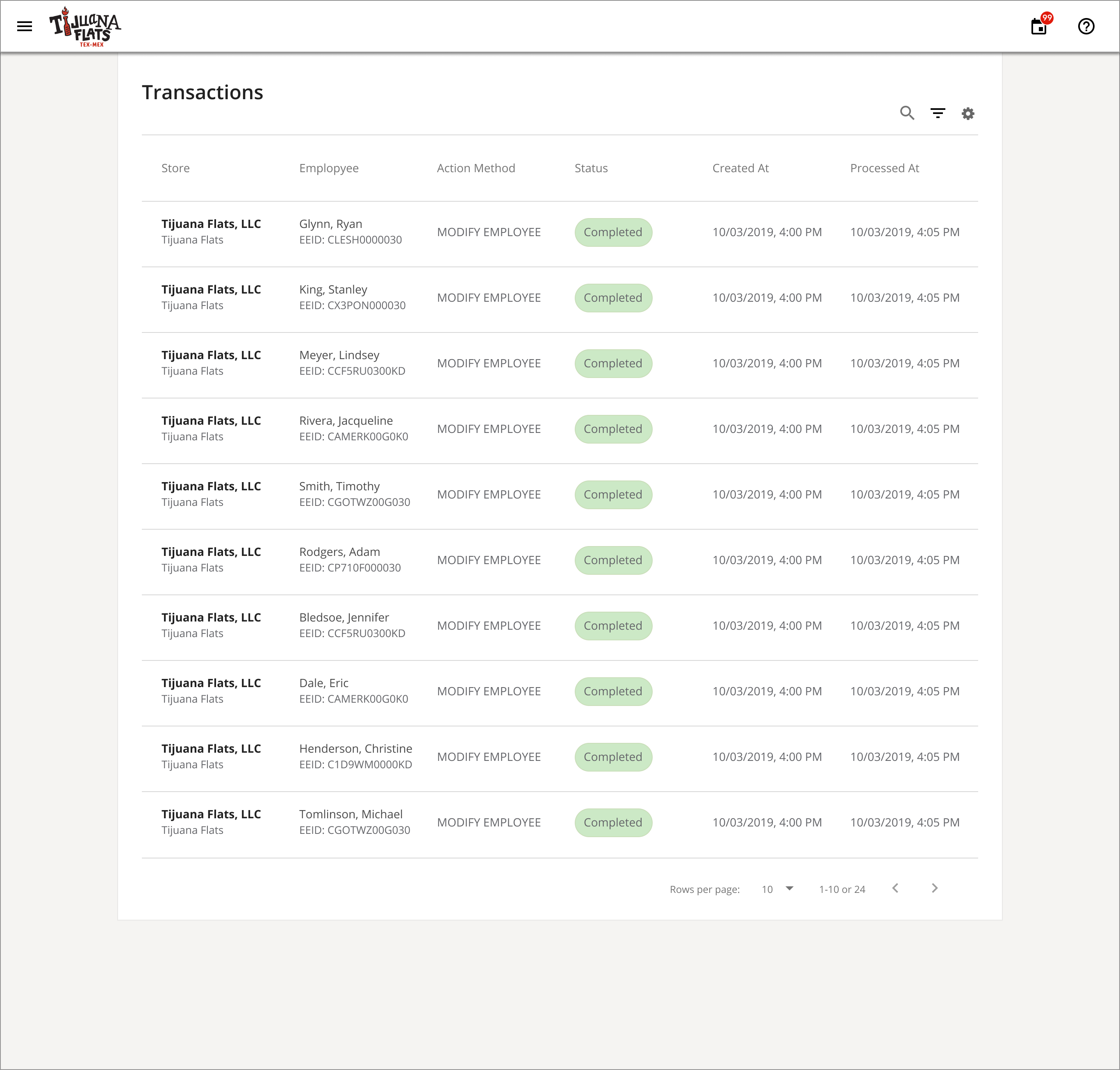
The redesigned transaction interface provided administrators with a centralized view of employee data exchanged between PlanSource and Aloha. By clearly distinguishing successful, pending, and failed transactions, users could more easily verify updates, identify discrepancies, and understand when additional attention was needed.
The result was a more transparent integration experience that simplified transaction monitoring and supported more effective HR data management.
Turning complex integrations into manageable workflows
This project reinforced the importance of designing interfaces that make complex system processes understandable and actionable. By prioritizing transaction visibility, clear status indicators, and contextual error messaging, I helped transform behind-the-scenes integration activity into an experience administrators could easily monitor and manage.
Effective enterprise UX doesn't just connect systems. It gives users the confidence and visibility to understand what's happening between them.